A patient-management app built around how nurses already work
For Revo Health’s fixed-price joint-replacement program, I designed the app its nurses use to qualify patients and follow them through recovery, organized around the way they already work.
- Role
- UX/UI designer
- Scope
- User interviews, Workflow mapping, Patient qualification, Dashboard, Reminders
The challenge
The program is a value-based, fixed-price offering for total joint replacement. Before surgery, every patient needs an assessment to confirm they’re a good fit for outpatient care, and the care team follows each one for 90 days afterward.
Revo Health wanted software to make qualification faster, automate communication and reminders, capture patient data and outcomes, and connect with Twin Cities Orthopedics’ systems. The first release would focus on qualification, automated communication and milestone tracking, and it had to scale and meet HIPAA requirements.
How the work ran
Learn the program
Start from the program’s goals and the features it needed.
Listen to the nurses
Interview the care team about how their day really runs.
Follow their workflow
Organize the app around the lists and calls nurses already work from.
Qualify faster
Put the factors that rule a patient out first.
Remind automatically
Show what’s due and automate the reminders.
1Learn the program
The program brief set out what the software needed to cover: case management, pre-surgical screening, content, surveys and reminders, tracking each patient’s care, reporting, and automated forms and approvals. I used it to understand the whole program before narrowing in on the first release.
2Listen to the nurses
I wrote an interview guide about the team’s challenges, how they split work before and after surgery, and what a rolled-up dashboard should show, then interviewed the nursing team’s lead.
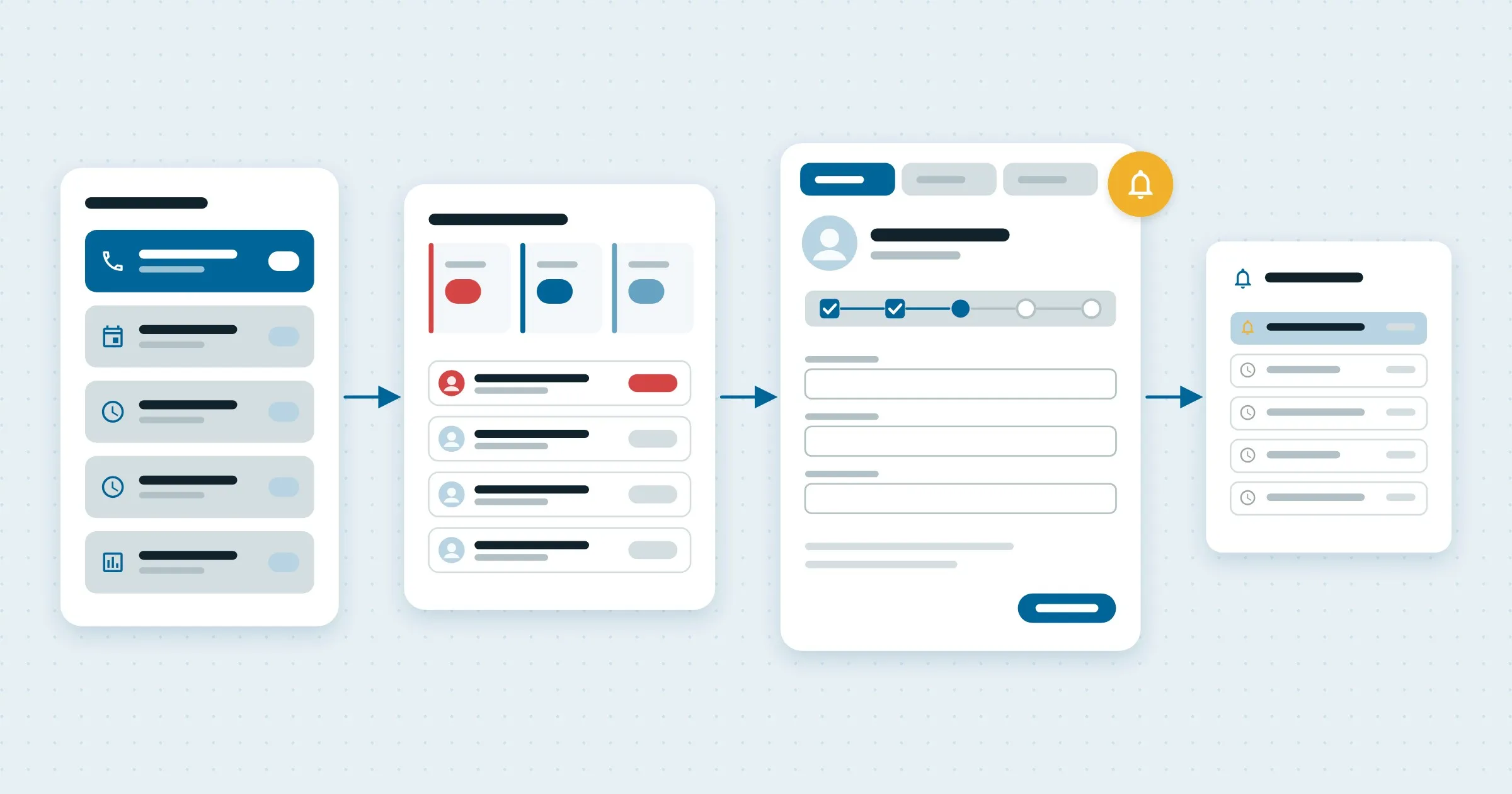
What we heard. Nurses plan their day from filtered lists: assessment calls, pre-op physicals, and the calls that follow a patient from discharge to 90 days. Patients call in constantly, so nurses need to jump between several patients at once. Follow-ups lived on sticky notes and calendar reminders, because tasks in the old system didn’t alert anyone.
3Follow their workflow
I reshaped the app around the nurses’ natural workflow. They start from the same filtered lists they already use, open a patient’s chart from the list, and keep several patients open at once. Each chart is organized by tabs.
4Qualify faster
I prioritized the disqualifying factors in the assessment, so a patient who isn’t a fit for outpatient surgery is caught early, before the team spends time on the rest of the intake.
5Remind automatically
A dashboard shows assessment calls at a glance: what’s overdue, what’s due this week and what’s coming up this month. Reminders are automated, so follow-ups no longer depend on notes and memory.